A home media server is a computer in a cupboard that other people rely on. When it stops working, the first sign shouldn't be a message from someone who couldn't watch something. Monitoring means the server, or something outside it, notices first and sends an email.
There's no single tool for this, because no single tool can see everything. Something running on the server can't report that the house has lost power, and a check from outside can't see that a drive is starting to wear out. So there are five checks, each watching one thing, and a nightly backup for when something does go wrong anyway.
Want to run these checks yourself? See the monitoring stack on GitHub (opens in a new tab)
The checks at a glance
| Check | Watches | Tells me | Can't see |
|---|---|---|---|
| Beszel | The computer: CPU, memory, temperature, disk space | An email when something crosses a line | Whether each app is answering |
| Scrutiny | Each drive's health | An email when a drive looks likely to fail | Anything but the drives |
| Health checks and a watchdog | Each app: is it answering? | Restarts it, and an email | The house losing power |
| Outside check | The site, as a viewer would see it from outside | An email when that changes, and an "offline" page | What's wrong inside |
| Weekly report | The whole week, summed up | A Monday-morning email | Nothing urgent; it's a summary |
All of them run on the server except the outside check, which runs in AWS. All of them email through Amazon's email service, inside its free allowance.
Beszel: the computer
Beszel is a dashboard for the computer itself: how busy the processor is, how much memory is in use, how hot it's running, how full each drive is, and how much each app is using, with history to look back on. It emails when something crosses a limit I've set, such as a drive getting full or the processor running hot.
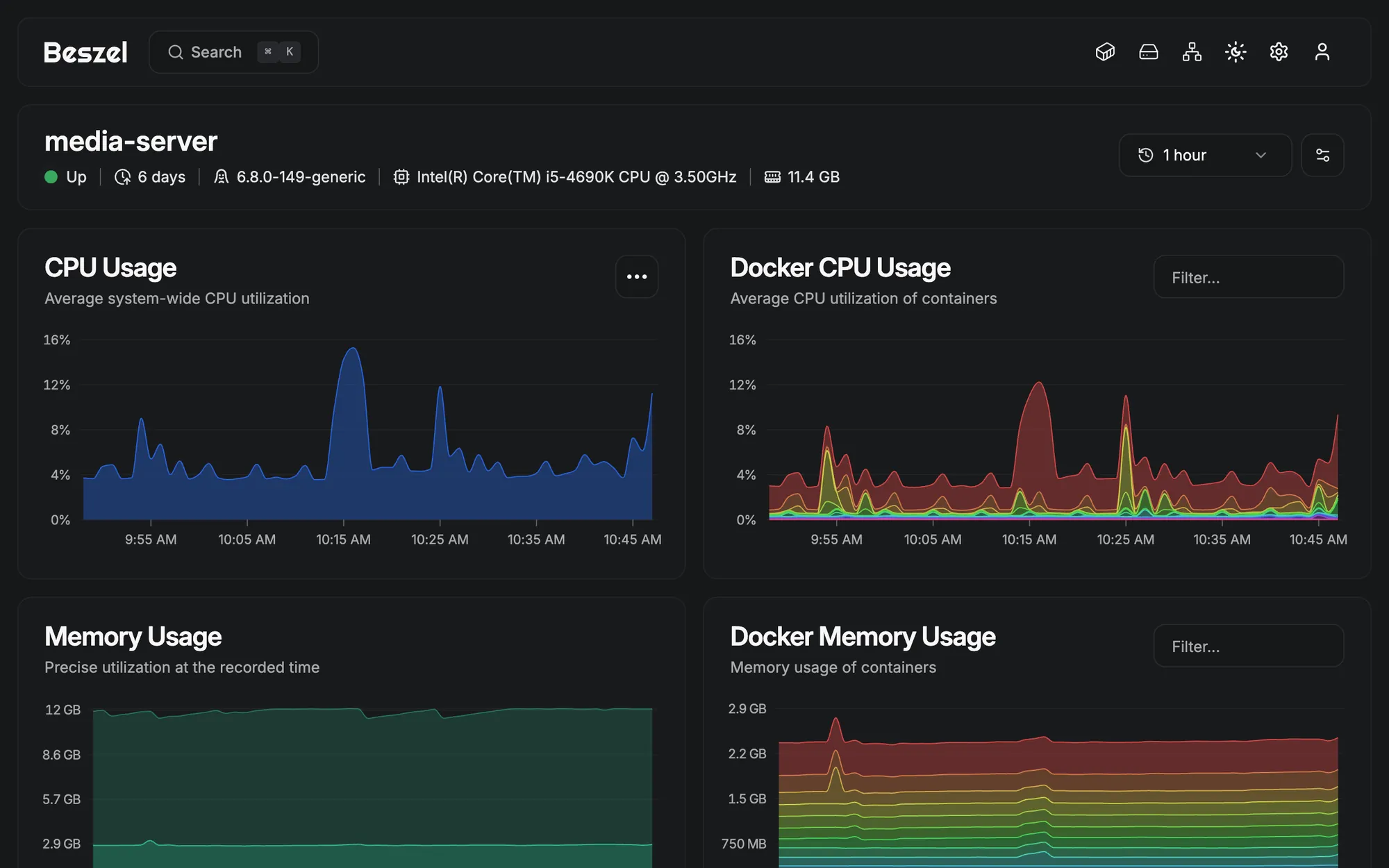
It sees each drive's space without seeing a single file: it's only given an empty folder on each drive, which is enough to read how full the drive is.
Scrutiny: the drives
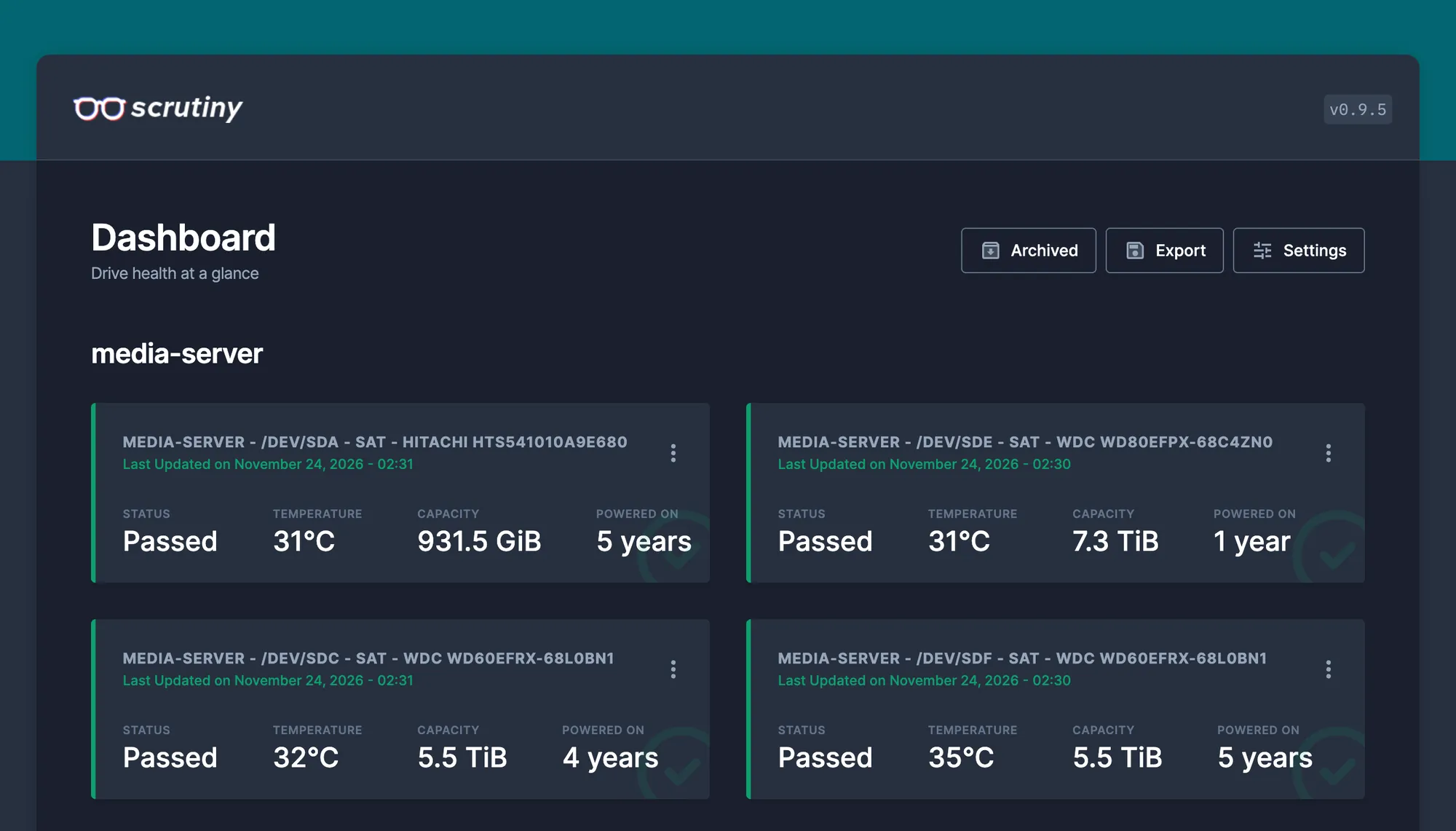
Drives keep a record of their own health, called SMART: how many bad spots they've found, how often a read had to be retried, and so on. Each drive also gives itself a pass or fail, but drives often pass right up to the day they die.
Scrutiny reads those records from every drive in the server and compares each warning sign with Backblaze's published data on which signs come before a failure, across hundreds of thousands of drives. It emails when a drive looks likely to fail, even if the drive still calls itself fine, and keeps the history, so a slowly worsening drive is easy to spot.
Health checks and a watchdog: the apps
An app can freeze while still looking as if it's running. Docker, which runs the apps, only restarts an app that has stopped, not one that has stopped answering.
So every app has a health check: a small question Docker asks it every minute, such as "are you there?", that only a working app can answer. A watchdog, a short script of my own, looks at the answers every minute:
- An app that fails three checks in a row is restarted, and I get an email. If three restarts don't fix it, the watchdog leaves it alone and says so.
- An app that has been stopped for three minutes gets an email only, since I may have stopped it myself.
- Every problem gets a second email when it's fixed, so I know without checking.
The outside check: what a viewer sees
Everything above runs on the server, so it all goes quiet with the house. The outside check runs somewhere else: a small program in AWS (a Lambda function) that opens the site every five minutes, the way a viewer's phone would, and sorts what it gets back:
| Result | Means |
|---|---|
| Fine | The site answers, securely, and Jellyfin says it's healthy |
| Certificate expiring | The site's security certificate runs out within 10 days |
| Jellyfin down | The front door answers, but Jellyfin doesn't |
| Something else answering | A different device answers at the site's address |
| Offline | Nothing answers: power, internet, the router or the server |
| Name not found | The site's address doesn't lead anywhere |
It emails only when the result changes, and only after seeing the new result twice in a row, about ten minutes. A reboot sends nothing; an outage sends one email when it starts and one when it ends. It runs within AWS's free allowance.
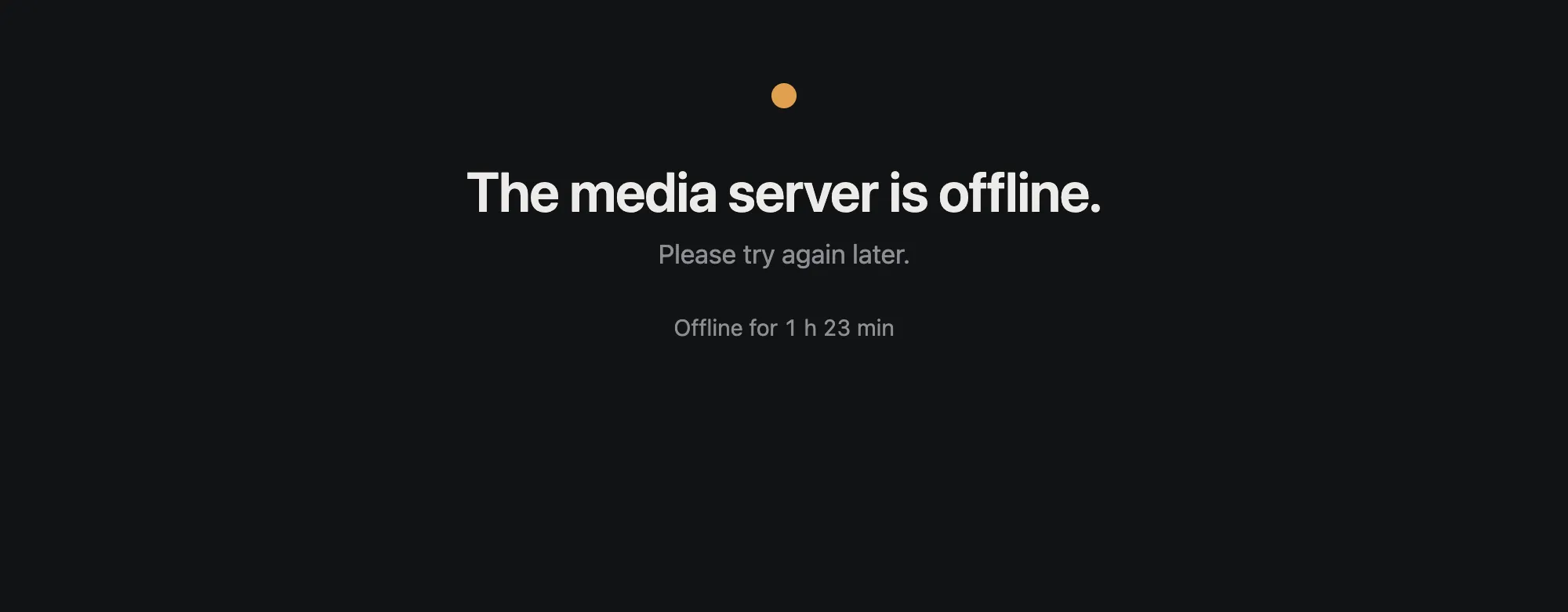
When the result is "offline", it also points the site's address at a simple page in AWS saying the server is offline and for how long, so someone opening it in a browser sees that instead of an error. When the server comes back, the address points home again by itself. The Jellyfin apps on TVs and phones don't show the page; they just can't connect until the server is back.
The weekly report
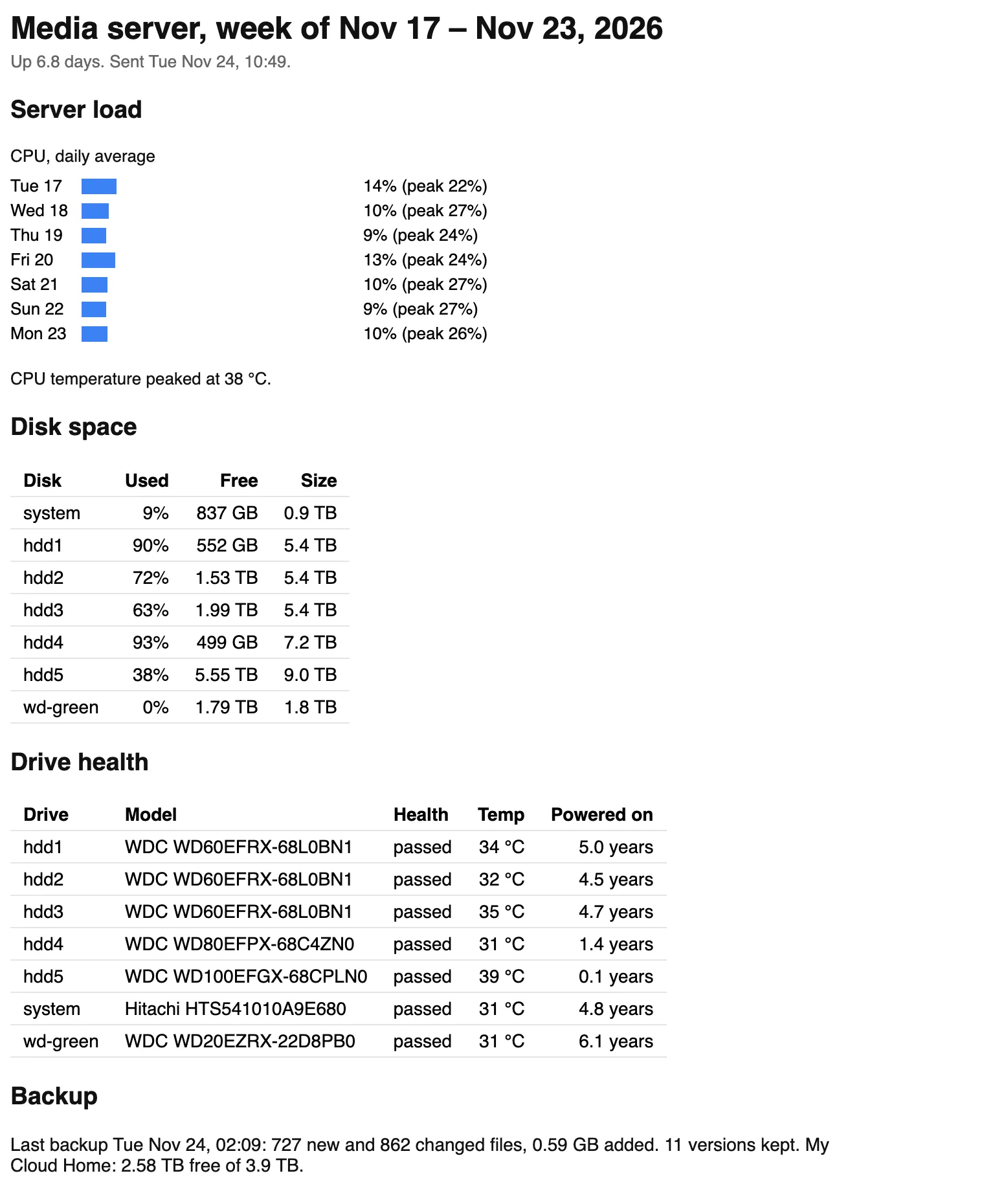
Every Monday at 8:00 AM, an email sums up the week: how much each person watched (totals only, never what they watched), what was added, shows with missing episodes, how hard the server worked, how full the drives are, each drive's health and the last backup. It's the one email that comes whether or not anything is wrong, so a quiet week still proves the checks are alive.
It also attaches a list of every film, show, book and album, and which drive it's on, so if a drive ever dies, I know exactly what was on it.
The backup
Every night at 2:00 AM, restic copies what can't be rebuilt to a small network drive in the house: every app's settings, Jellyfin's users and watch history, and the music, books and audiobooks, about 60 GB. It takes about five minutes. The copies are encrypted, checked after every run, and kept as seven daily, four weekly and six monthly versions, so a mistake noticed a week later can still be undone.
Films and TV, about 20 TB, aren't backed up; the weekly report's list says what to find again. Apps' databases are never copied mid-write: each app makes its own backup first, and restic copies that. If a backup fails, or none has worked for 36 hours, the watchdog emails the same day.
What it costs
Nothing beyond what was already there. Beszel, Scrutiny and restic are free and open source; the watchdog and the weekly report are short scripts; the outside check, the offline page and the emails fit inside AWS's free allowances or cost pennies. The network drive was already in the house.
Beszel, Scrutiny, the watchdog, the weekly report and the backup are the monitoring stack of home-media-server, the repo the server runs from; the outside check and its offline page are in the same repo, deployed with Terraform. To set it all up, follow the step-by-step guide.